Document Portal
A secure document management portal built for construction companies to share project files with clients, subcontractors, and consultants — with granular three-level access control, restricted folders, document versioning, read receipts, queued email notifications, and per-deployment brand theming.
Screenshots / app walkthrough
The Challenge / why this exists
The Problem
- Construction projects involve multiple parties — clients, subcontractors, consultants — each needing access to different documents
- Sharing files via email or Dropbox offers no access control: anyone with a link can see everything
- Generic cloud storage doesn't support role-based access at the folder or individual file level
- No audit trail: companies can't know who viewed or downloaded which document, and when
The Solution
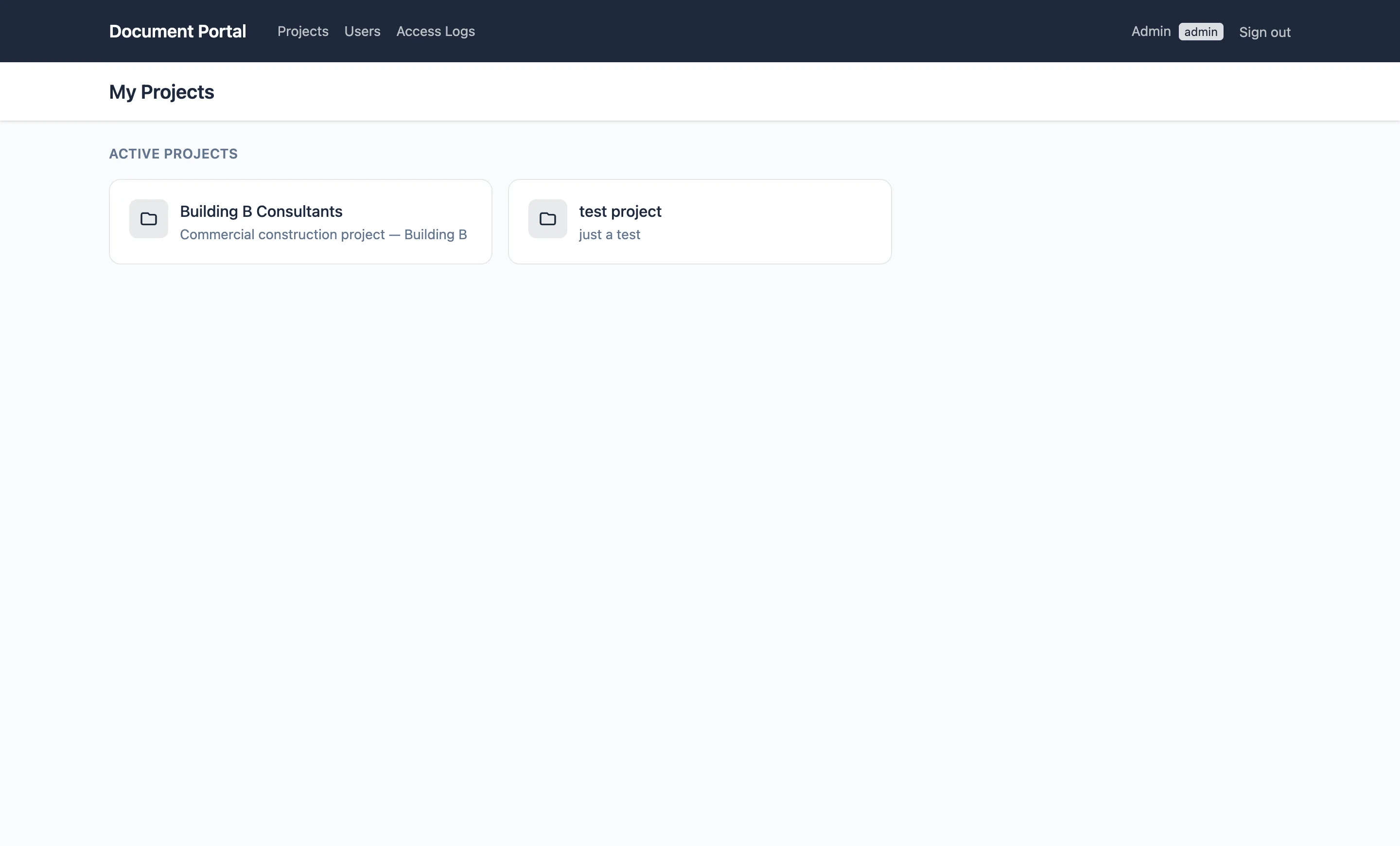
- A dedicated portal where each user sees only the projects, folders, and files they're explicitly granted access to
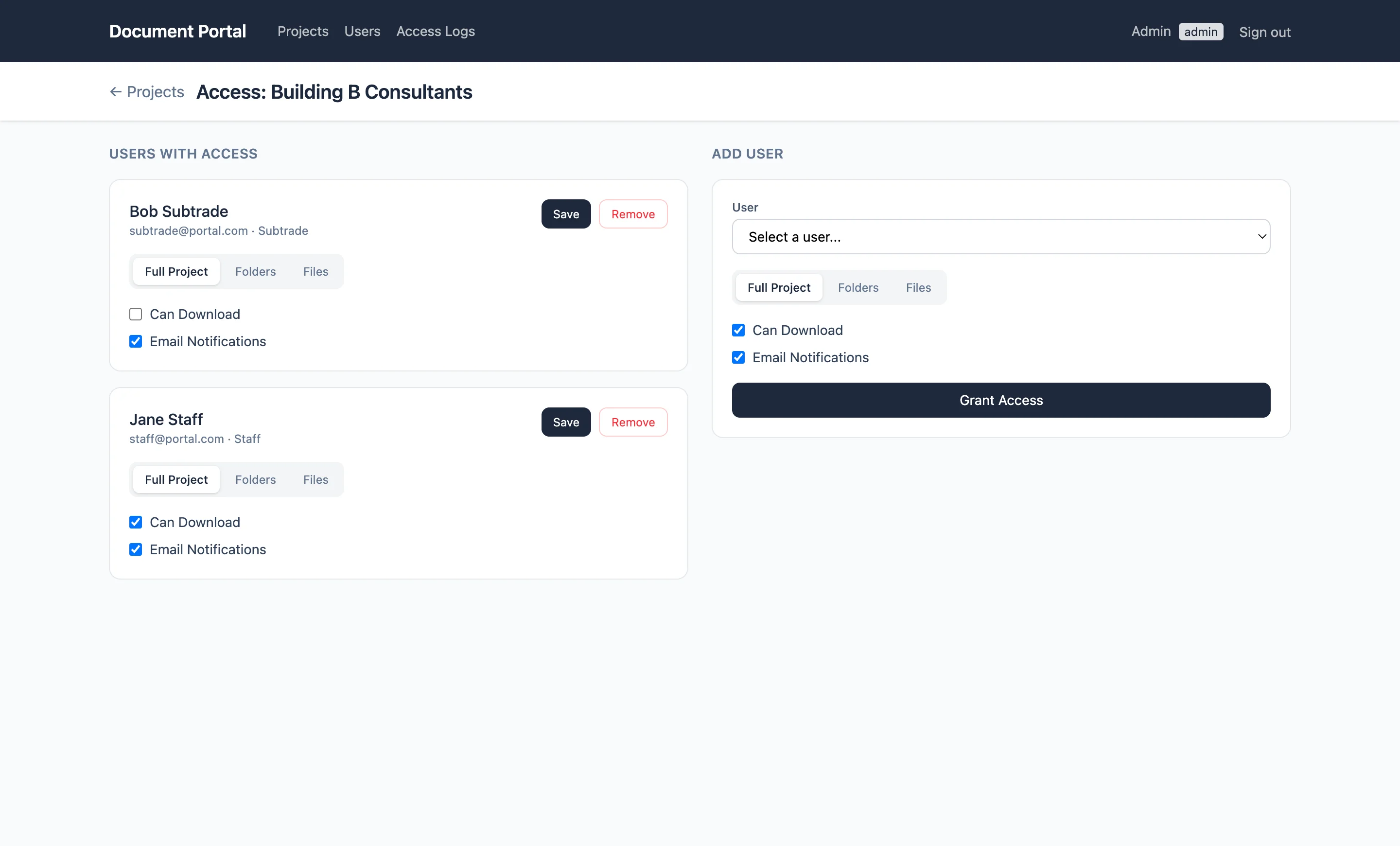
- Three-level access hierarchy: full project, specific folders, or individual files — with per-permission flags for view, download, and notifications
- All files served through the controller — never exposed as public URLs — so access checks run on every request
- Full audit log of every view and download event, with IP address and user agent
Tech Stack / what powers it
A clean Laravel 13 monolith with Blade + Alpine.js, deployed to standard shared PHP hosting on SiteGround. SQLite for development, MySQL for production. Each client gets their own installation and domain.
Backend
Frontend
Database
File Storage
Hosting
Auth & Security
Key Features / what it does
Three-Level Access Control
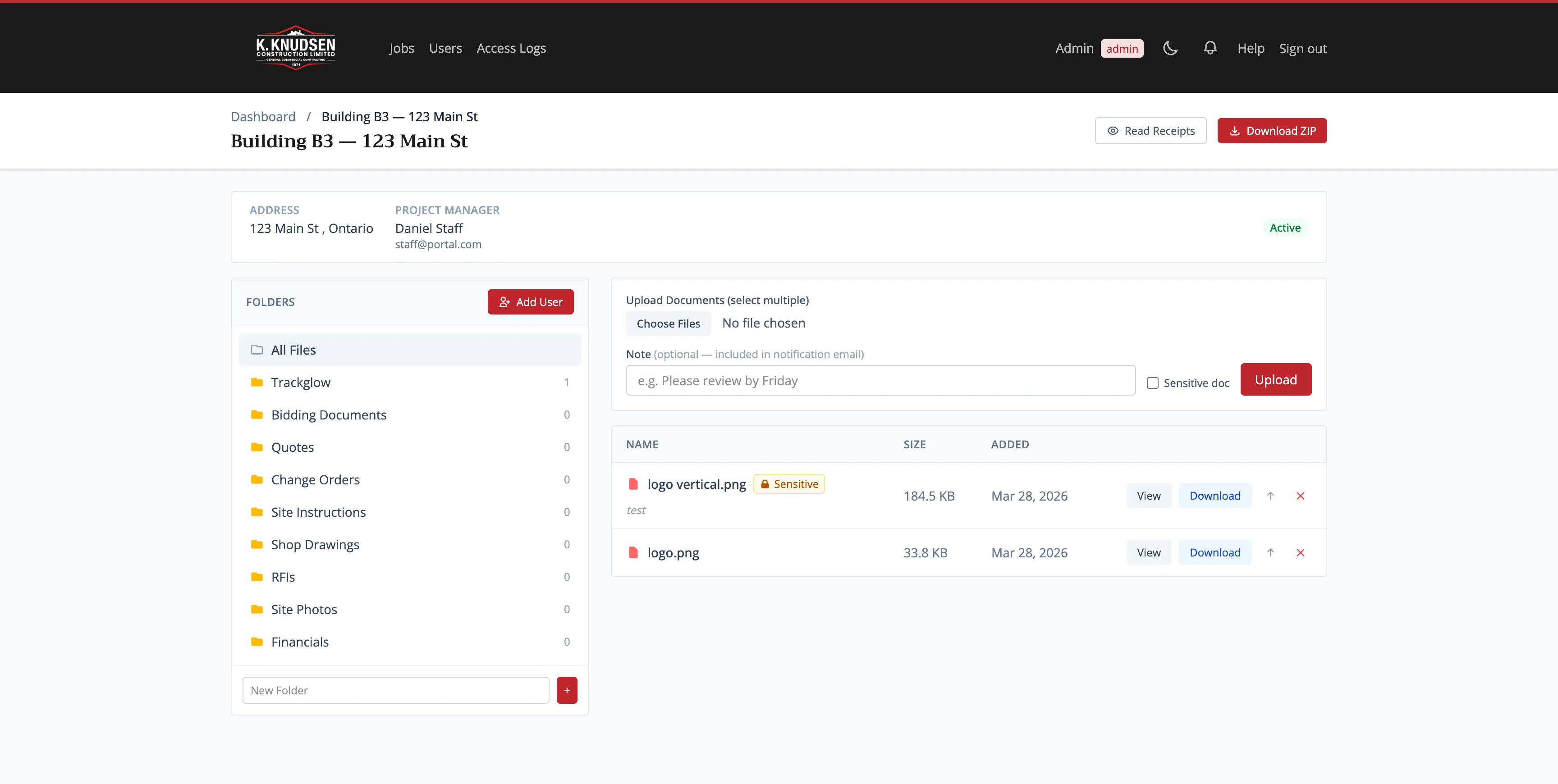
Grant access at the full project level, specific folders, or individual files. Each level has its own permission flags: can view, can download, notify on new upload. When saving, lower-level records are cleared automatically to keep access clean. A quick-assign button grants a subtrade access to all non-restricted folders in one click.
Secure File Delivery
Files are stored outside the public directory and never accessible via direct URL. Every view or download request goes through the controller, which checks access before serving the file. Switching to S3 requires only an env variable change.
Role System
Five roles: admin (full system access), staff (can upload, limited admin panel), subtrade, consultant, owner (access via access records only). Role middleware protects routes. Inactive users are kicked out on every request.
Folder Hierarchy & Restricted Folders
Projects have nested folder structures with parent/child relationships and sort order. Folders can be marked as restricted — blocking all non-admin roles from seeing them via project-level access. The Financials folder is restricted by default; a subtrade or owner can only access it if explicitly granted folder-level access by an admin.
Document Upload & Replace
Upload multiple files in one go with a per-file note shown in the doc list and in notification emails. Replacing a document keeps the display name intact and records a revision string (e.g. "Rev B") as a visible badge — so the document history stays clean. Replacing fires the same notification as a new upload.
Email Notifications
Upload or replace a document and a queued job emails every user with access at the project, folder, or file level. The uploader is excluded from their own notification. Queue runs via database driver — no Redis needed, cron-triggered on SiteGround.
Read Receipts
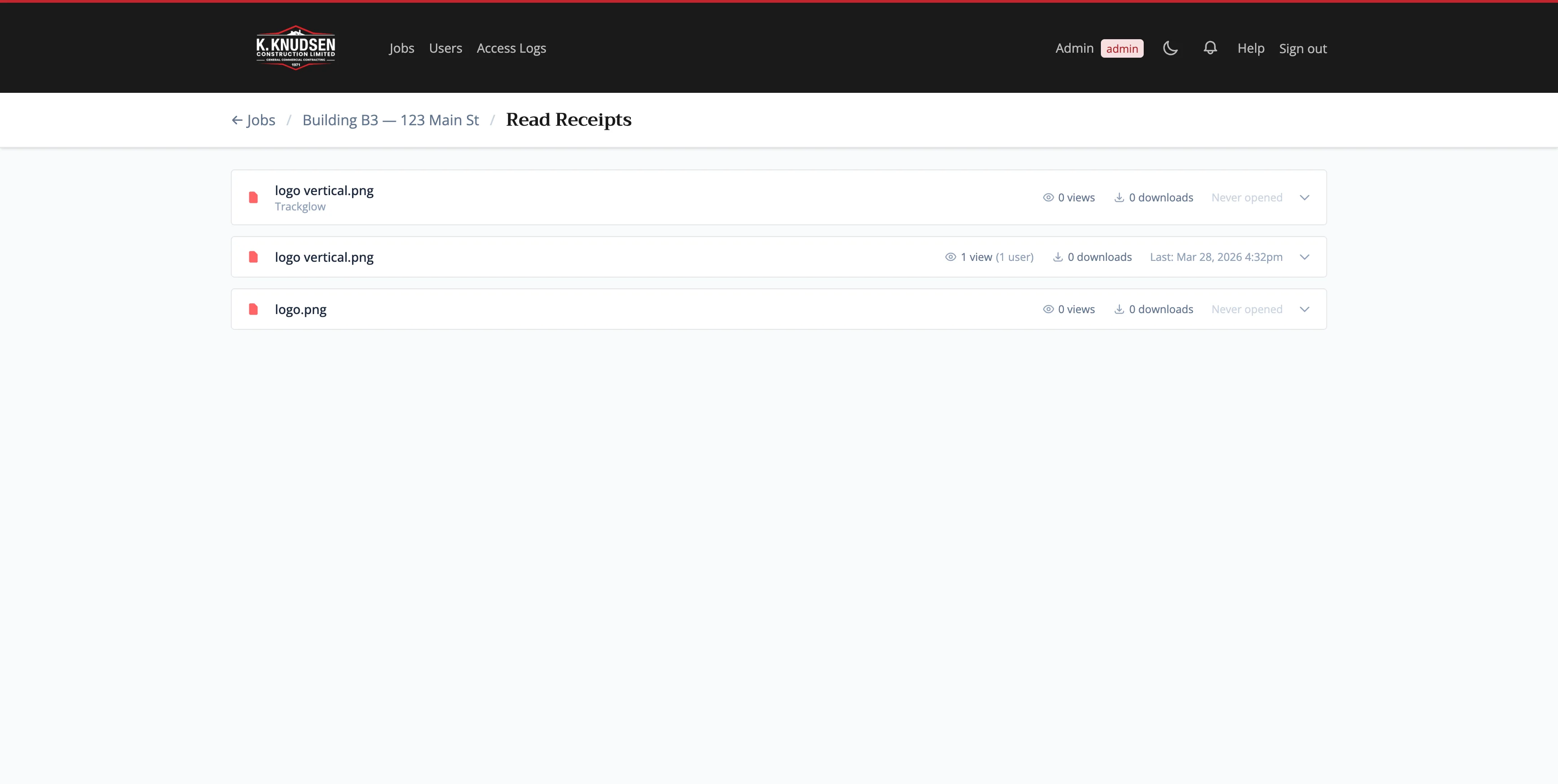
Per-project read-receipt view shows exactly which documents each user has opened and how many downloads they've made. Admins can see at a glance who hasn't opened a file yet — useful for chasing sign-offs on critical documents.
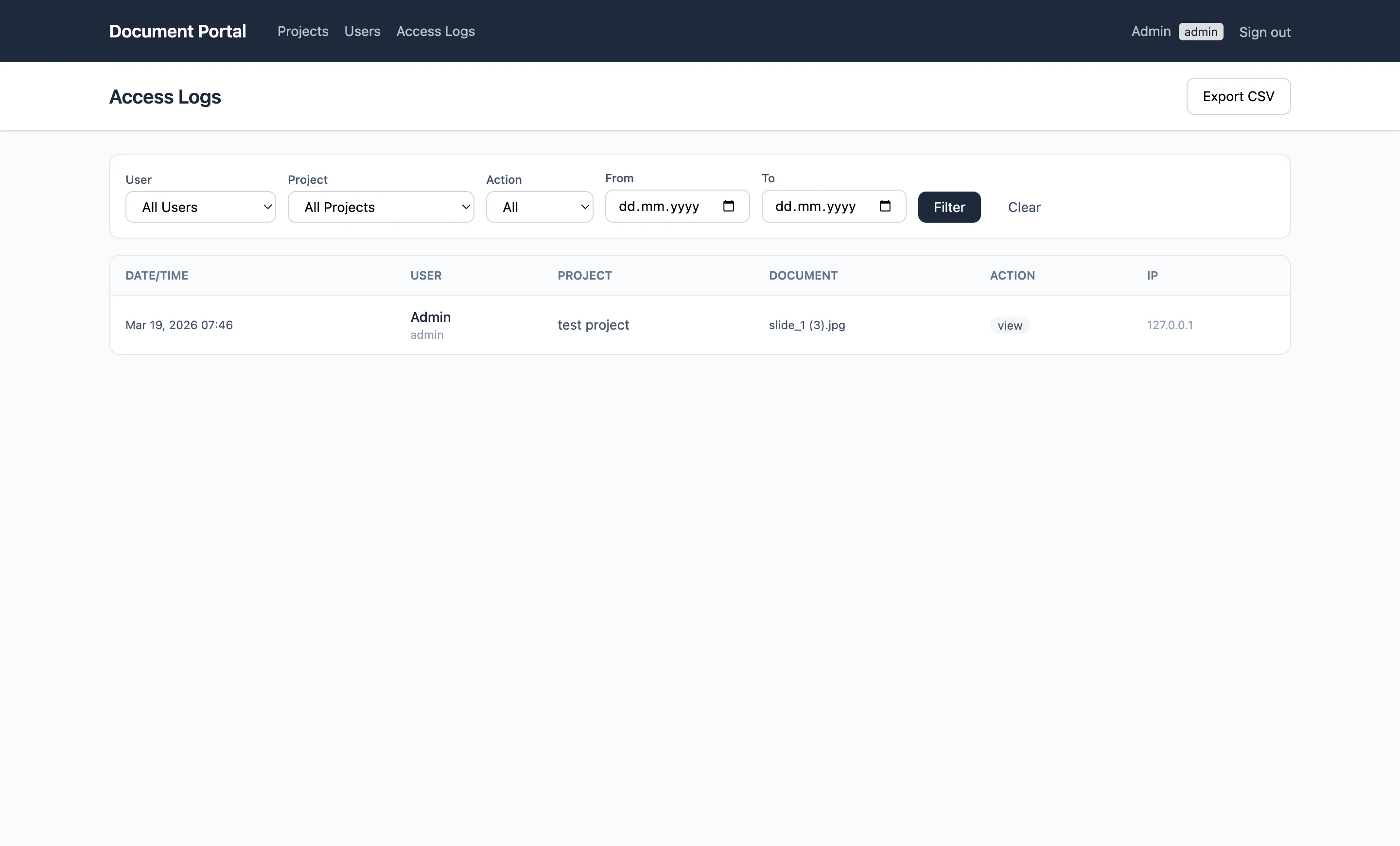
Access Audit Log
Every view and download is logged with user, document, action, IP address, and user agent. Admins have a dedicated log viewer with CSV export to track who accessed what and when.
ZIP Project Closeout
One-click ZIP download of all documents in a project, preserving the folder structure. Useful for archiving completed jobs or handing off the full document set to the client at closeout.
Per-Client Brand Theming
Each client deployment has its own brand color set via APP_COLOR in .env. The color is injected as a CSS custom property at runtime — no asset rebuild required. Navigation, buttons, and badges all pick up the brand color automatically.
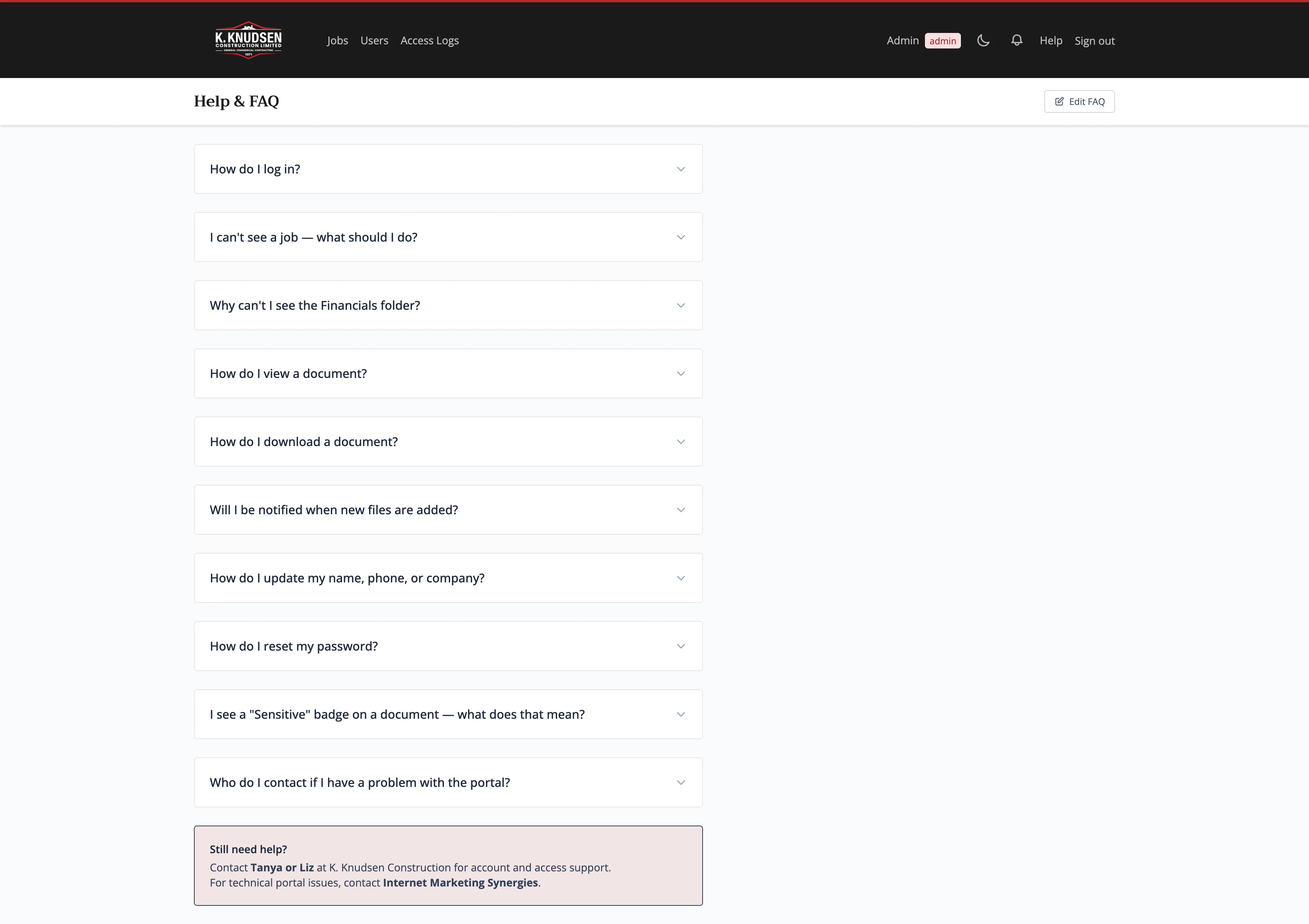
Help / FAQ CMS
Admins can edit the Help page directly from the admin panel — add, remove, and reorder FAQ items without touching code. Content is stored in the settings table as JSON and rendered as an accordion for end users.
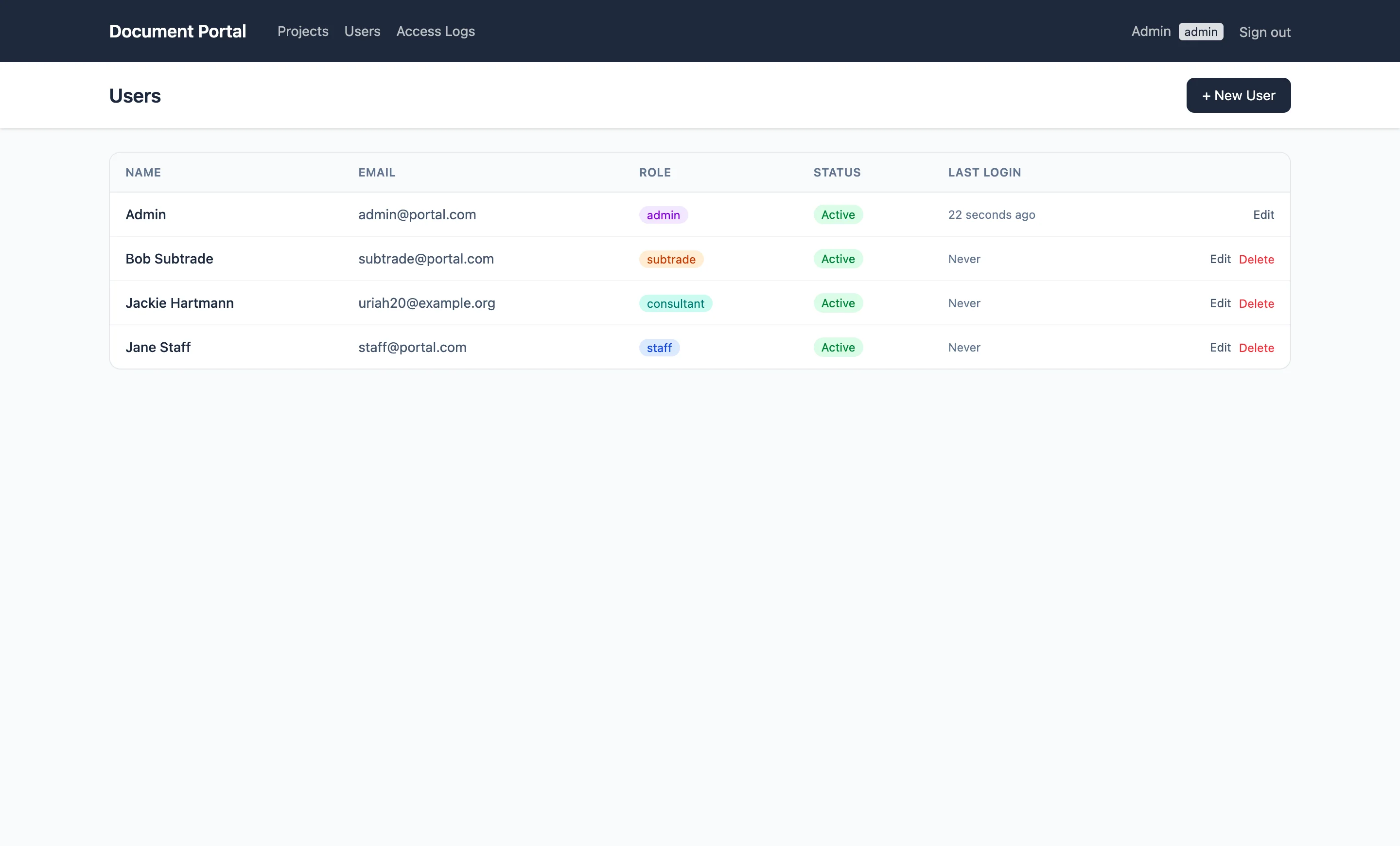
User Management
Admin CRUD for users with role assignment, company, phone, and active/inactive toggle. Deactivated users are immediately locked out on their next request via middleware. Last login time is tracked per user.
Multi-Tenant by Design
Each client gets a completely separate Laravel installation on their own domain or subdomain — no shared database, full data isolation. Setting up a new client means cloning the repo, configuring .env with their brand color and name, and seeding their admin user.
Architecture / how it works
A classic Laravel monolith with Blade views and Alpine.js for interactivity. The AccessService centralizes all access decisions through static methods used across controllers and views.
Document Download Flow
Upload & Notification Flow
Like what you see?
I build production-ready B2B web apps — secure file management, role-based access, multi-tenant architecture, Laravel, deployed to real hosting. Let's talk about your project.